

Turning the Tables on ChatGPT
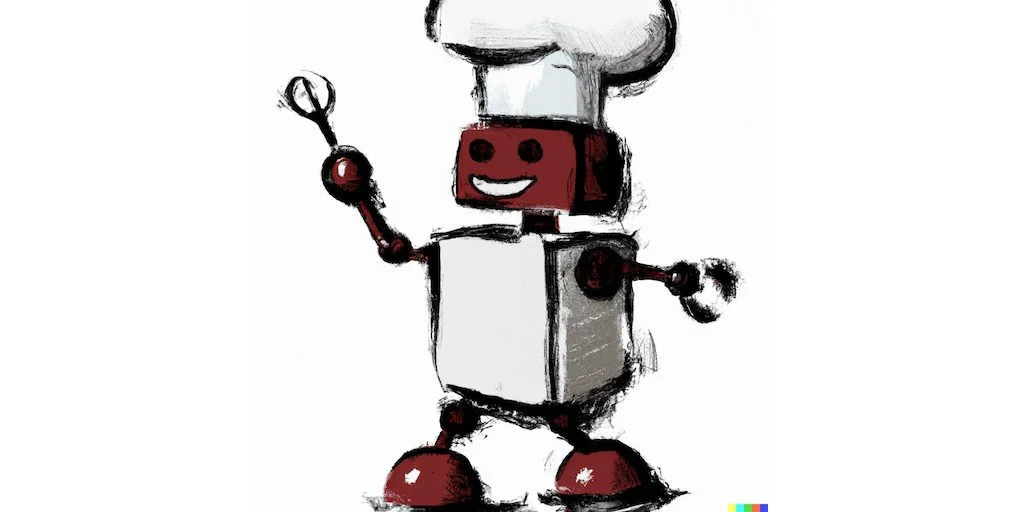
'Friendly Robot Chef' Image by OpenAI's DALL-E-2
Mastering the Art of AI Conversation
The potential of artificial intelligence (AI) has never been more palpable than when conversing with ChatGPT, an advanced language model developed by OpenAI. A casual exchange can lead to intriguing insights, amusing quips, and even instances that leave you awe-struck. No doubt, conversing with ChatGPT can be enjoyable and enlightening, and in many instances, highly practical.
For example, if you find yourself contemplating the age-old question, "What should I cook for dinner?" you might turn to ChatGPT with something like:
Dear ChatGPT – I have 2 eggs, an onion, 1 pound of ground beef, an eggplant, and various condiments in my kitchen. What’s a tasty meal I can prepare in 30 minutes or less in one pan?
And ChatGPT, ever the ready sous-chef, will whip up a response, detailing an easy and mouth-watering Eggplant and Ground Beef Skillet recipe.
Yet, while interacting with ChatGPT can be straightforward and fun, harnessing its full potential requires a shift in perspective. To truly integrate ChatGPT into your everyday productivity arsenal, you must effectively guide the AI, by providing context and structure. One might compare it to orienting a keen, albeit sometimes overeager, intern. Clear instructions and explicit guidelines are the way to go.
However, what if we could take this a step further? What if, instead of simply receiving responses from ChatGPT, we could make it an active participant in a dynamic dialog? What if ChatGPT could ask us questions?
Let's dive into an illustrative example. I’m going to stay with our recipe motif, but the process I’m about to describe is broadly applicable to many ChatGPT interactions, and I’ll summarize that process at the end.
Our first goal with an interaction is to set the context within which we want ChatGPT to act. The tighter this is defined, and the richer the description, the higher the output quality will be. An easy way to do this is to break our first interactions into a couple of steps defining the roles and then the scenario. We can do this rather explicitly:
Me: Your Role: I want you to play the role of an expert chef, dedicated to helping home cooks create innovative meals from common ingredients. Please reply just with "OK" if you understand your role.
ChatGPT: OK
Me: My Role: I am a home cook, looking for inspiration for recipes. Please reply just with "OK" if you understand my role.
ChatGPT: OK
Me: Context: I'm hosting a dinner party for 8 people. I need to plan an appetizer, salad, and main course (skip the dessert). All should be interesting, unique and should go together. Please reply just with "OK" if you understand the context.
ChatGPT: OK
Let’s pause here for a moment of explanation. In this first section we’re setting the scene for the task. We want to be very explicit with setting “roles,” both ChatGPT’s and ours, as that will really help guide the form of the output. I use the above format – Your Role, My Role, Context.
But why am I adding the “Please reply just with "OK" if you understand the context.” ?
ChatGPT is like that annoying friend who will jump into a conversation before they know what you want, but it just can’t wait to start generating text. So, you need to restrain it – otherwise it is programmed to take immediate action, based on the prompt, and it will start babbling away before it has the complete picture of what you’re trying to accomplish. That’s a problem because everything in a conversation becomes part of the context for subsequent responses – so if the conversation is full of AI generated tangents we are going to get unfocused answers. OK, back to our script….
Me: Now, please ask me any questions about me, my guests, my kitchen, equipment, available ingredients, or anything else you need to know to plan the menu for this dinner party.
ChatGPT could fulfill our task without asking us any questions. But to get better results we want it to have as much information as possible. Rather than trying to anticipate what the AI needs, we can just instruct ChatGPT to ask for the information it needs and answer its questions.
ChatGPT:
Great, I'd be happy to help you plan this dinner party. Here are some questions I have:
1. Are there any dietary restrictions or preferences among your guests (vegetarian, vegan, gluten-free, allergies, etc.)?
2. What level of cooking skill would you say you have? Are you comfortable with complex recipes, or do you prefer simpler ones?
3. Do you have any particular cuisine you and your guests love or want to avoid?
4. What kind of equipment do you have in your kitchen? Do you have any special equipment like a slow cooker, sous-vide machine, or stand mixer?
5. Do you have a preference for any specific proteins, vegetables, fruits, or other ingredients that you'd like to use in the meals?
6. What is the season or weather like? Some dishes are better suited for certain times of the year.
7. How much time do you have to prepare and cook before the party?
8. Lastly, what's your budget for this dinner party?
An efficient way to answer multiple questions like this is to number your answers to match the numbered questions - you don't have to do this, but it will make it clear which sentence answers which question. You can hit Enter/Return while holding the shift-key to format your response on separate lines before finally submitting it with an Enter/Return without holding down the shift-key.
Me:
1. Yes, one person is allergic to dairy.
2. I’d say advanced amateur, I’m comfortable with somewhat complex recipes.
3. I think we’ll avoid seafood for this party.
4. I have a pressure cooker, sous-vide and a slow cooker.
5. I really dislike peas!
6. This will be summer and it will be quite warm.
7. I can spend all afternoon on this.
8. $200
ChatGPT:
Fantastic, thanks for the detailed answers. I'll craft a menu that is summer-friendly, avoids dairy and seafood, keeps within your budget, and showcases your advanced amateur cooking skills. Also, no peas, I promise!
Appetizer: Spiced Carrot and Lentil Soup
A warm, flavorful soup can be a great way to kick-start your dinner party. It's not too heavy and packs a punch of flavors.
Salad: Grilled Peach and Prosciutto Salad
This is a classic summer salad. The grilled peaches add a wonderful smoky-sweetness that complements the salty prosciutto. Mixed with fresh arugula and balsamic vinaigrette, this salad is sure to impress.
Main Course: Sous-Vide Chicken Breasts with Herb Gremolata and Roasted Summer Vegetables
Chicken breasts, when cooked sous-vide, can achieve a level of juiciness you can't get through traditional cooking methods. Pair this with an aromatic herb gremolata, and serve with a side of mixed roasted summer vegetables (think bell peppers, zucchini, cherry tomatoes, and eggplant). For the dairy-allergic guest, you can use olive oil instead of butter when cooking.
Each of these recipes can be prepared ahead of time to some extent, freeing you up to mingle with your guests. I hope this menu sounds appealing to you! If you need more details on these dishes, please let me know.
Me:
Thanks... can you give me the recipes for all of the dishes?
ChatGPT:
Of course, I'd be happy to provide the recipes! Here they are:
1. Spiced Carrot and Lentil Soup
Ingredients:
· 2 tablespoons olive oil
· 1 onion, chopped
· 2 cloves garlic, minced
· 2 teaspoons ground cumin
· 1 teaspoon turmeric
· 1 pound carrots, peeled and chopped
· 1 cup red lentils
· 6 cups vegetable broth
· Salt and pepper to taste
· Fresh parsley for garnish
Instructions:
1. Heat the olive oil in a large pot over medium heat. Add the onion and garlic, cooking until they are soft and fragrant.
2. Stir in the cumin, turmeric, and carrots, cooking for another 2-3 minutes.
3. Add the lentils and vegetable broth. Bring the mixture to a boil, then reduce heat and simmer for about 25 minutes, until the carrots and lentils are tender.
4. Using an immersion blender (or a stand blender, in batches), puree the soup until smooth.
5. Season with salt and pepper to taste, and garnish with fresh parsley before serving.
2. Grilled Peach and Prosciutto Salad
Ingredients:
· 4 ripe peaches, halved and pitted
· 8 thin slices of prosciutto
· 4 cups arugula
· 2 tablespoons olive oil
· 1 tablespoon balsamic vinegar
· Salt and pepper to taste
Instructions:
1. Preheat your grill to medium heat.
2. Grill the peach halves cut-side-down until they're nicely charred, about 5 minutes.
3. Arrange the arugula on a serving platter. Top with the grilled peaches and prosciutto.
4. Drizzle with olive oil and balsamic vinegar, then season with salt and pepper before serving.
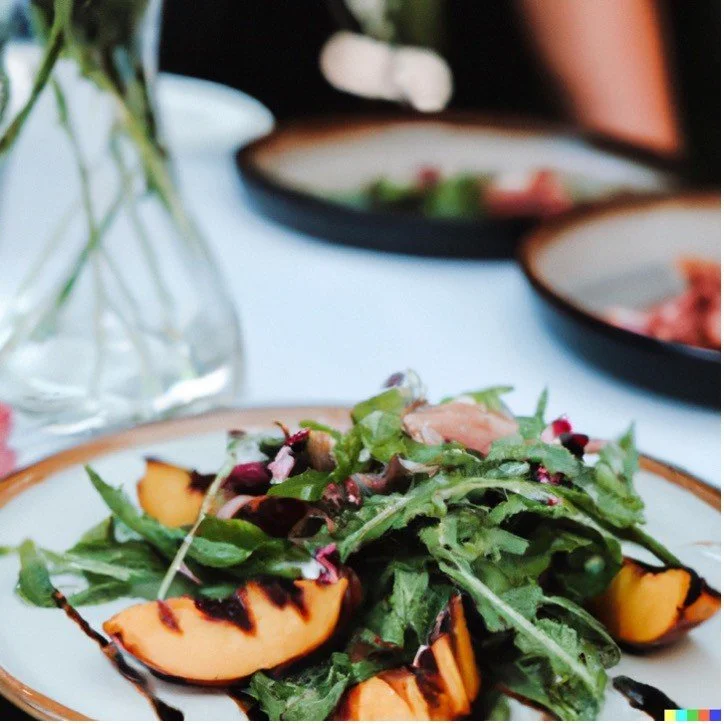
DALL-E-2's interpretation of the recipe
3. Sous-Vide Chicken Breasts with Herb Gremolata and Roasted Summer Vegetables
Ingredients:
· 4 boneless, skinless chicken breasts
· Olive oil
· Salt and pepper
· For the gremolata: zest of 1 lemon, 2 cloves of garlic (minced), 1/4 cup finely chopped fresh parsley, salt to taste
· For the vegetables: 2 bell peppers, 1 zucchini, 1 cup cherry tomatoes, 1 eggplant - all chopped into bite-sized pieces
Instructions:
1. Season the chicken breasts with salt and pepper, then vacuum seal them. Cook them in the sous-vide at 145°F for 1.5 hours.
2. While the chicken is cooking, toss the vegetables in olive oil, salt, and pepper. Spread them out on a baking sheet and roast at 400°F for about 20 minutes, until they are tender and slightly caramelized.
3. Mix the gremolata ingredients together in a small bowl.
4. Once the chicken is done, sear it quickly in a hot pan with a bit of olive oil to get a nice golden crust.
5. Serve the chicken topped with the gremolata, and the roasted vegetables on the side.
Enjoy your cooking and your dinner party!
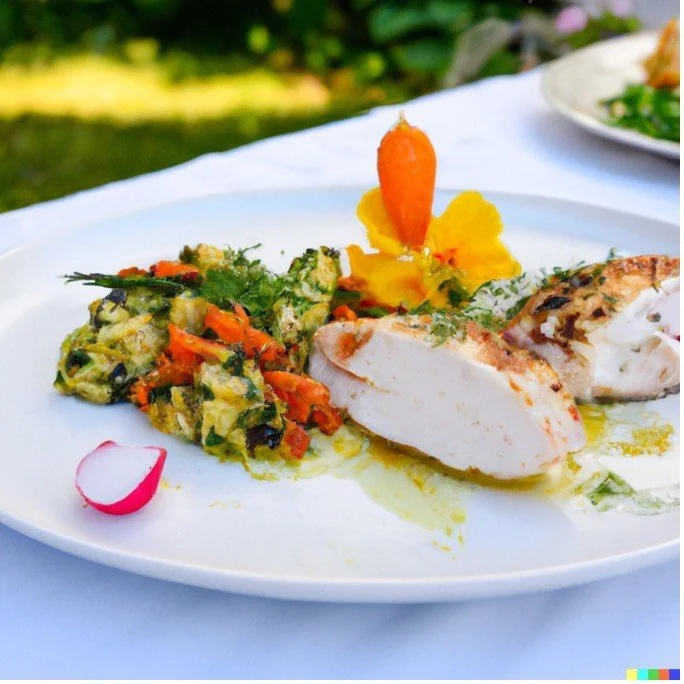
DALL-E-2's interpretation of the recipe
We’re off to a good start! But suppose we find an issue with one of the recipes? This is not a problem. We can continue our conversation and give some additional guidance.
Me: Awesome. After looking at the recipes now, I'd like you to replace the soup with something else. One person doesn't like cumin.
Notice that I didn’t need to spell out the full name of the dish – I was able to just say ‘soup’ and even though we’re discussing three dishes, ChatGPT knows what I’m talking about from the context of the conversation.
ChatGPT: Absolutely, no problem at all. Let's replace the Spiced Carrot and Lentil Soup with a refreshing Cucumber Gazpacho. This dish is perfect for summer, it's dairy-free, and doesn't require cumin.
Cucumber Gazpacho
Ingredients:
· 2 large cucumbers, peeled and seeded
· 1 small onion, peeled
· 1 green bell pepper, seeded
· 2 cloves of garlic, peeled
· 2 tablespoons of white wine vinegar
· 1/4 cup of olive oil
· 1/4 cup of fresh dill, chopped
· Salt and pepper to taste
Instructions:
1. Roughly chop the cucumbers, onion, bell pepper, and garlic.
2. Combine the chopped vegetables in a blender with the white wine vinegar, olive oil, and dill.
3. Blend until smooth. You may need to do this in batches, depending on the size of your blender.
4. Season with salt and pepper to taste.
5. Chill in the refrigerator for at least 2 hours before serving. It's even better if you can leave it overnight to let the flavors meld together.
You can garnish each serving with a sprig of dill or a drizzle of olive oil if you like. Enjoy your cooking!
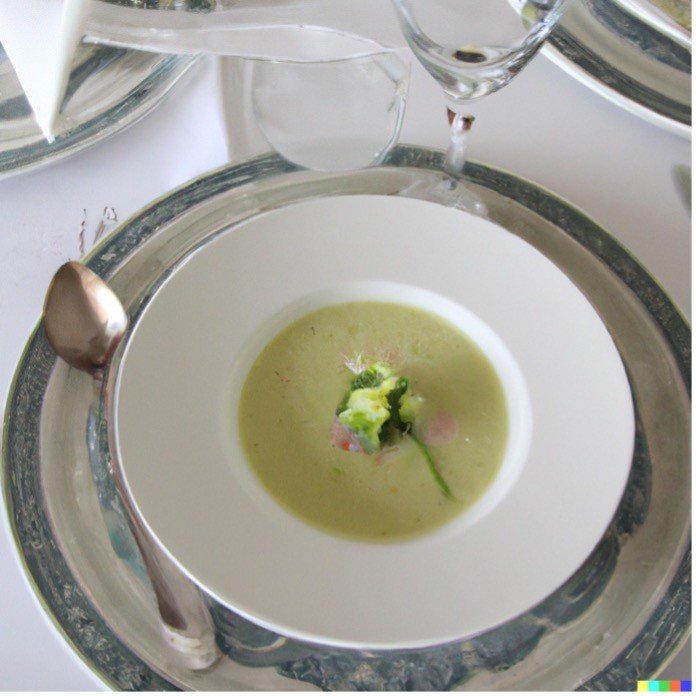
DALL-E-2's interpretation of the recipe
Me: That's great! Can you produce a shopping list with all the ingredients I need - do it in the form of a table, using Markdown.
ChatGPT:
Sure, here's your shopping list presented in a Markdown table:
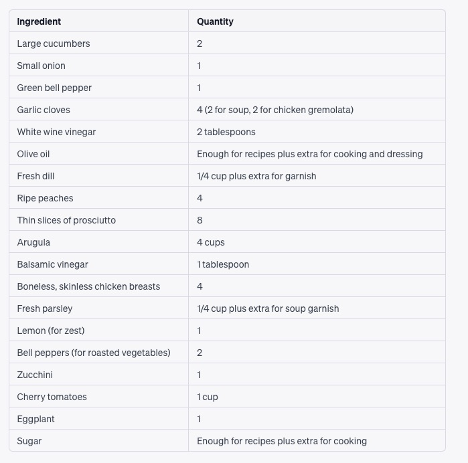
Image captured from the actual ChatGPT output to show that it knows how to format a table
Additionally, don't forget basics like salt and pepper for seasoning. You might also want to have some extra fresh herbs for garnishing, as well as any drinks or bread you might want to serve with your meal. Enjoy your dinner party!
Now that we have our menu, we can augment our recipes by asking ChatGPT to switch roles to recommend wine that pairs well with our dishes. Again, the context from all of the prior prompts and answers is retained and used to answer the new prompt. This allows us to carry on the conversation in a natural manner.
Me: Now play the role of an experienced sommelier. Can you suggest wine pairings with each course? Please ask me any questions that will help guide the decisions.
ChatGPT:
Absolutely, I'd be happy to suggest wine pairings for each course. To help guide my recommendations, could you please answer the following questions:
1. What is your and your guests' general preference when it comes to wine - do you prefer white, red, rose, sparkling, or are you open to any?
2. Do you have a preference for wines from a certain region or country?
3. What's your budget for wine for this dinner party?
4. Are your guests more casual wine drinkers or do they have a sophisticated palate and appreciate complex wines?
I’d like to point out that ChatGPT automatically used the question format to gather more information, just as it did at our request earlier in the conversation. This is an example of our inputs being remembered: we’ve asked it to query us before, so it will lean in that direction. It’s also normal for a sommelier to ask some questions prior to a recommendation.
Me:
1. I think any, as appropriate to the dish.
2. Really any.
3. $200
4. It's a mix. I'd like to make sure the 'sophisticated' drinkers feel appreciated.
ChatGPT:
Great, thanks for providing the details. Here are my wine pairing suggestions for each course that should satisfy both casual and sophisticated wine drinkers, and fit within your budget:
Cucumber Gazpacho: A high-acid, citrusy white wine would pair nicely with this dish. Look for a Sauvignon Blanc from New Zealand or a Verdejo from Spain. Both of these options should complement the cool, crisp flavors of the gazpacho.
Grilled Peach and Prosciutto Salad: A lightly sweet, aromatic white wine would go well with this salad, particularly to contrast the saltiness of the prosciutto and enhance the sweetness of the peaches. A German Riesling or a Viognier from France would be an excellent choice.
Sous-Vide Chicken Breasts with Herb Gremolata and Roasted Summer Vegetables: For this main course, a light to medium-bodied red wine should pair nicely. A Pinot Noir from Oregon or a Barbera from Italy would be fantastic options. Both wines have enough acidity and soft tannins to pair well with the chicken without overpowering it.
Make sure to serve the wines at appropriate temperatures: white wines should be served cool (not too cold) and red wines should be served at room temperature.
Nice. Our dinner party menu, with wine pairings, is now complete.
Let’s consolidate our learning. While we used an example of a dinner party in this article, the same principles apply to other scenarios – planning a business meeting, designing a presentation, writing a blog post, and many other complex tasks.
Here are the important takeaways from our conversation with ChatGPT:
1. Iterate: ChatGPT thrives on iteration. Rather than trying to cram your entire dinner party request into one prompt, break it into steps. This gradual approach builds context in a way that ChatGPT can use efficiently.
2. Create context: construct a rich context by explicitly informing ChatGPT what role you’d like it to take on, tell it what role you are playing, provide a setting and any other details that set the scene
3. Suppress chatter: ChatGPT’s natural inclination to generate text. Using the command “Output only “OK” if you understand” fixes that. There’s a reason we don’t want that chatter - If ChatGPT generates a lot of irrelevant text, that becomes part of the context for further results, which may lead to unfocused and disappointing results.
4. Command ChatGPT to ask you questions: This will flesh out any details it needs in order to do the best job possible.
5. Converse: Have a conversation – refine the answers by making further requests, keep at it until you get what you want.
6. Add Constraints: Add time limits, maximum costs, or other constraining factors to your request – all of this is great context to get better results.
This template works for many situations, and it’s worth committing to memory.
· Your role – specify the role that you want ChatGPT to take on.
· My role – specify what the role of the recipient of the information is – their experience, knowledge level, ability, title, etc.
· Context – what is the general situation? Give color and detail to the overall scene.
· Task – now we can assign the task we want ChatGPT to take on.
· Refine – ask follow-up questions, ask for explanations, ask for changes or expansions, ask for other perspectives, anything you want to drive different output.
And there you have it! Whether you're trying to outsource your dinner planning, writing a research paper, or cranking out a presentation, ChatGPT is not just a sophisticated tool, but a conversational partner ready to engage with you. By understanding its inner workings, refining your approach, and utilizing its potential to ask questions, you can turn an already impressive AI model into an even more responsive and insightful co-conspirator. It's no longer just about artificial intelligence—it's about interaction, where humans and machines engage in a rich dialog to produce inspiring results. So next time you power up ChatGPT, remember you’re starting a conversation where context is king.
Buon appetito!
Nota bene: all images in this article were generated by OpenAI’s DALL-E-2 image generator from text in the article.
Thomas Niccum